使用 Poetry 取代 pip
2 min

Install
Linux, macOS, Windows (WSL)
curl -sSL https://install.python-poetry.org | python3 -💡
官方指出在某些系統上,
python
可能代表
python2
,建議使用
python3
避免出現錯誤。
Windows (Powershell)
(Invoke-WebRequest -Uri https://install.python-poetry.org -UseBasicParsing).Content | py -💡
若是從 Microsoft Store 中安裝 Python 需要將
py
改為
python
安裝的位置
~/Library/Application Support/pypoetryon MacOS.~/.local/share/pypoetryon Linux/Unix.%APPDATA%\pypoetryon Windows.
如果想要在安裝時,設定預設位置,可以使用 POETRY_HOME 參數
curl -sSL https://install.python-poetry.org | POETRY_HOME=/etc/poetry python3 -另外還有以下參數
POETRY_VERSION安裝特定版本git透過 git 安裝
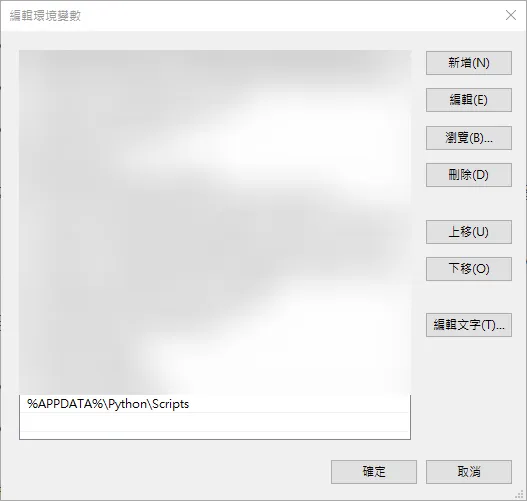
將其加入系統變數
$HOME/.local/binon Unix.%APPDATA%\Python\Scriptson Windows.$POETRY_HOME/binif$POETRY_HOMEis set.
初始化 Poetry 專案
poetry init會有以下問題需要填寫
Package name [pythonmqttclient]:
Version [0.1.0]:
Description []:
Author [None, n to skip]:
License []:
Compatible Python versions [^3.11]:

Would you like to define your main dependencies interactively? (yes/no) [yes]
後面就會產生 pyproject.toml 的檔案
建立虛擬環境
首先要先修改 poetry 參數,讓 poetry 可以將虛擬環境資料放在 project 內
poetry config virtualenvs.in-project true否則虛擬環境會建置在 AppData\Local\pypoetry\Cache\virtualenvs
使用指令poetry env use python:
PS C:\Users\user\Desktop\PythonMqttClient> poetry env use python
Creating virtualenv mqttclient in C:\Users\user\Desktop\PythonMqttClient\.venv
Using virtualenv: C:\Users\user\Desktop\PythonMqttClient\.venv
Poetry 新增套件
poetry add本篇文章介紹參考資料
再見了 pip!最佳 Python 套件管理器——Poetry 完全入門指南 - Code and Me
Comments
Loading comments...